Since this extension is not installed via the Chrome Web Store, you need to
load it manually using developer mode. Follow the steps below carefully.
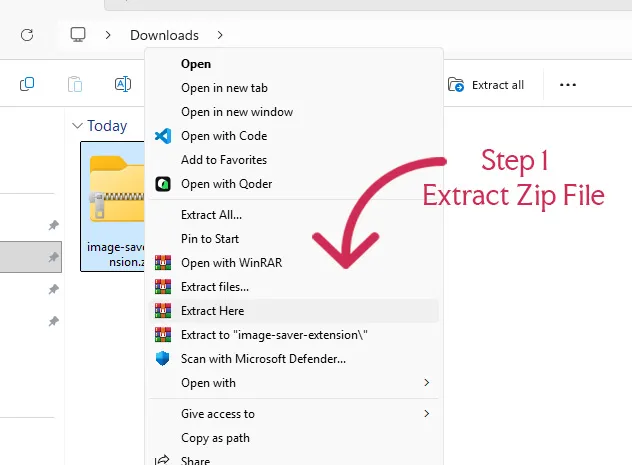
Step 1 — Download the extension ZIP file using the button above.
And Extract the ZIP file on your computer.
Right-click the downloaded file → Click Extract All → Open the extracted folder.
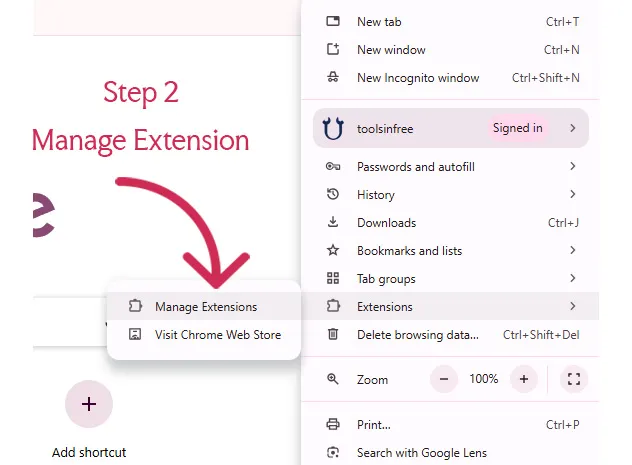
Step 2 — Go to Manage Extensions option
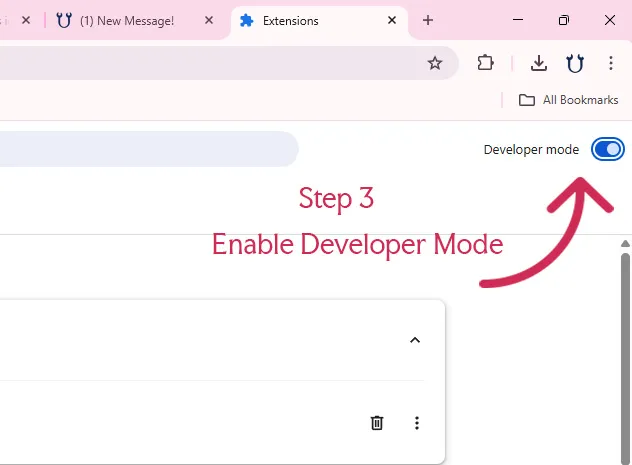
Step 3 — Enable Developer Mode
Toggle the Developer mode switch (top right corner).
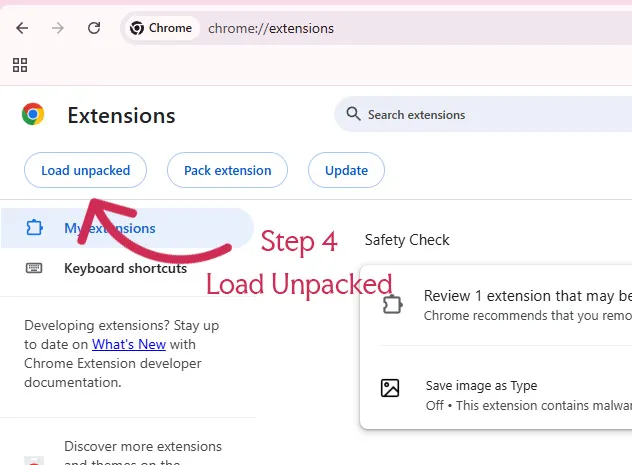
Step 4 — Click “Load unpacked”
Select the extracted extension folder (not the ZIP file).
Extension Installed
The extension will now appear in your browser and is ready to use.
Save Image As Extension is designed for users who frequently
download images from websites. Instead of right-clicking and navigating through
menus, this extension allows instant image saving with a single click or
shortcut.Whether you’re a designer, developer, or content creator, this tool
helps streamline your workflow by eliminating repetitive steps and improving
efficiency while browsing.
This extension is ideal for designers, developers, bloggers, and researchers who
regularly need to download images quickly without interrupting their workflow.
Unlike traditional methods, this extension minimizes friction and saves time. It
removes unnecessary steps, allowing you to focus on your work instead of
repetitive actions.
