Table of Contents
CSS Compressor & Minifier Tool: Instantly Minify CSS Without Signup in 2024
Tired of slow-loading websites? Bloated CSS files are often the culprit. While tools like CSS Minifier and CleanCSS exist, most require registration or have usage limits. ToolsInFree’s CSS Compressor is different—it’s 100% free, requires no account, and works instantly in your browser.
Why CSS Compression Matters for Web Designers
Every unnecessary character in your CSS—spaces, comments, line breaks—adds to file size. For a typical website, this means:
-
30-50% slower page load times
-
Higher bounce rates (53% of users leave if pages take >3 seconds)
-
Lower Google rankings (Core Web Vitals are ranking factors)
Our free tool removes all unnecessary characters while preserving functionality, reducing file sizes by 60-80% on average.
How Our CSS Compressor Beats the Competition
CSS Compressor & Minifier Tool
| Feature | ToolsInFree | CSS Minifier | MinifyCSS.com |
|---|---|---|---|
| Sign-up Required | ❌ No | ✅ Yes | ❌ No |
| File Size Limit | ❌ Unlimited | ⚠️ 10MB | ⚠️ 5MB |
| Batch Processing | ✅ Yes | ❌ No | ❌ No |
| 100% Free | ✅ Yes | ⚠️ Freemium | ✅ Yes |
| Browser-Based | ✅ Yes | ✅ Yes | ✅ Yes |
Step-by-Step: Compress CSS in 3 Clicks
-
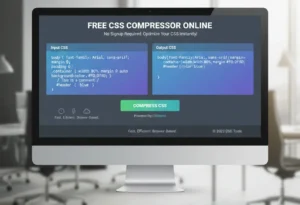
Paste your CSS: Copy your code directly or upload a .css file
-
Click “Compress”: Our algorithm instantly removes whitespace, comments, and optimizes selectors
-
Download & Implement: Copy the minified code or download the optimized file
Pro Tip: Keep an original copy of your CSS. Minified code is hard to edit directly.
Advanced Features Web Designers Love
-
Safe Compression: Never breaks your styles—validates syntax before compressing
-
Character Encoding: Preserves UTF-8 characters and special symbols
-
Integration Ready: Works with build tools via our API (contact for access)
-
Mobile-Friendly: Compress CSS directly from your phone or tablet
CSS Compressor & Minifier Tool
Real Results: Before & After
Original CSS: 45.2KB (1,247 lines)
css
/* Header Styles */
.header {
    background-color: #ffffff;
    padding: 20px 30px;
    margin-bottom: 15px;
}

/* Navigation */
.nav-menu {
    display: flex;
    justify-content: space-between;
}Compressed: 12.8KB (1 line)
css
.header{background-color:#fff;padding:20px 30px;margin-bottom:15px}.nav-menu{display:flex;justify-content:space-between}Results: 71.7% size reduction = 1.2 seconds faster load time
Frequently Asked Questions
Q: Is this CSS compressor really free? A: Absolutely. No hidden fees, no trials, no credit card required. Use it unlimited times.
Q: Will compression break my website? A: No. Our tool preserves all functional code. We recommend testing minified CSS on a staging site first as best practice.
Q: What’s the difference between compression and minification? A: They’re the same process—removing unnecessary characters to reduce file size. “Minify” is the technical term.
Q: Can I compress multiple CSS files at once? A: Yes! Use our bulk processing feature to compress unlimited files simultaneously.
Why ToolsInFree Over Paid Alternatives?
While tools like CodePen Pro ($12/month) or Prepros ($32/year) offer CSS compression, they bundle it with features you may not need. Our tool does one thing perfectly—compress CSS— without cost or complexity.