
Free Image Background Remover Online | ToolsInFree
Introduction: Why Background Removal Matters
Images are the heart of digital communication. Whether you’re running an e‑commerce store, designing social media posts, or creating presentations, clean visuals make all the difference. But often, photos come with distracting or unwanted backgrounds. That’s where our Free Image Background Remover comes in — a fast, secure, and easy‑to‑use tool that lets you remove backgrounds from any image instantly.
What is an Image Background Remover?
An Image Background Remover is a tool that automatically detects the subject in a photo and removes the background. Instead of spending hours in Photoshop or other editing software, you can achieve professional results in seconds. Our tool uses advanced AI technology to deliver precise cutouts, ensuring your subject stands out.
Why Use ToolsInFree Background Remover?
- Instant Results: Upload your image and get a clean cutout in seconds.
- High Accuracy: AI detects edges, hair, and fine details for professional quality.
- Cross‑Device Support: Works on desktop, mobile, and tablet.
- Free Forever: 100% free tool, no hidden charges.
- Secure & Private: Your files are processed safely and never stored.

Key Features
- Automatic Background Removal: No manual editing required.
- Transparent Background Output: Perfect for product listings, logos, and designs.
- Custom Background Options: Replace with solid colors or new images.
- Batch Processing: Remove backgrounds from multiple images at once.
- Download in Multiple Formats: PNG, JPG, or WebP.
Benefits of Removing Backgrounds
- E‑Commerce: Showcase products with clean, distraction‑free images.
- Social Media: Create eye‑catching posts and ads.
- Graphic Design: Build professional layouts without messy edges.
- Presentations: Add polished visuals to slides.
- Personal Use: Fun edits for profile pictures, invitations, and more.
How to Use Our Free Background Remover
- Upload Your Image: Click “Upload” and select your file.
- AI Processing: Our tool automatically detects and removes the background.
- Download: Save your new image with a transparent or custom background.
No technical skills required — anyone can do it!
JPG vs PNG vs WebP for Background Removal
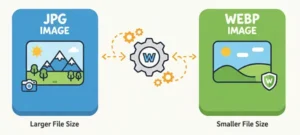
| Format | Transparency Support | File Size | Best Use Case |
|---|---|---|---|
| JPG | ❌ No | Smaller | Photos without transparency |
| PNG | ✅ Yes | Larger | Logos, product images |
| WebP | ✅ Yes | Smallest | Web optimization |
SEO Benefits of Clean Images
- Improved PageSpeed: Optimized images load faster.
- Higher Rankings: Google rewards sites with better UX.
- Better Engagement: Clean visuals increase click‑through rates.
- Professional Branding: Consistent imagery builds trust.
Image Background Remover questions & answers
Q1: Is this tool free? Yes, our Image Background Remover is 100% free with no hidden charges.
Q2: Will it work on product photos? Absolutely — it’s perfect for e‑commerce product listings.
Q3: Can I replace the background with a new one? Yes, you can choose a solid color or upload a new background.
Q4: Does it support transparent backgrounds? Yes, you can download your cutout with a transparent background in PNG format.
Q5: Is my data safe? Yes, your files are processed securely and never stored.
Advanced Use Cases
- Amazon & eBay Sellers: Meet marketplace image requirements.
- Digital Marketers: Create ad creatives quickly.
- Designers: Save time on manual cutouts.
- Students & Teachers: Use clean visuals in projects.
Related Tools
Our Free Image Background Remover is the ultimate solution for anyone who needs clean, professional images. Whether you’re a business owner, designer, or casual user, this tool saves time, improves quality, and enhances your digital presence. Try it today and transform your visuals in seconds!