Improve your website’s search engine performance with free on-page SEO tools. Analyze content, meta tags, headings, and keywords directly in your browser—no signup required.
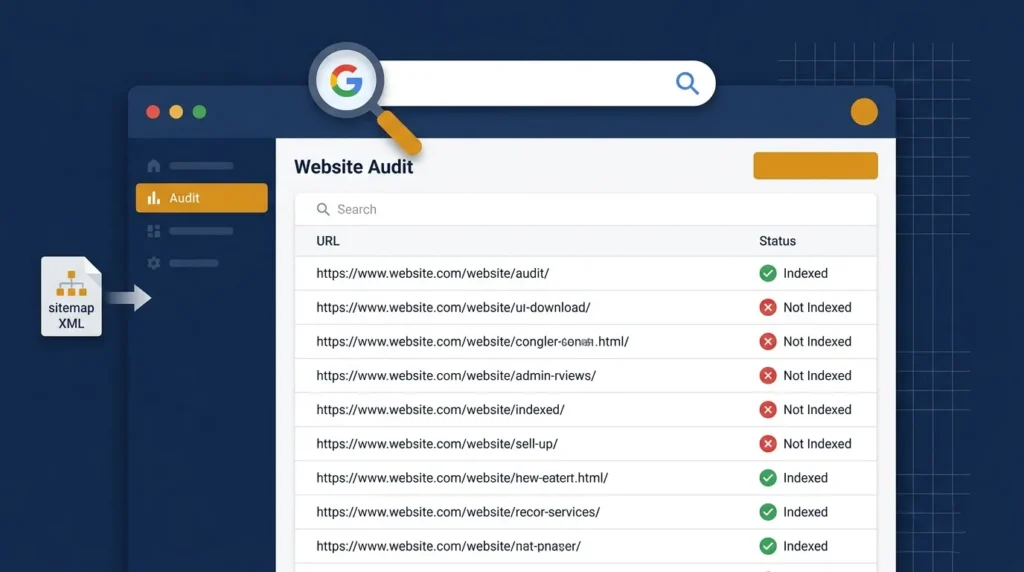
Free Non-Indexed Pages Checker — Enter any domain, auto-fetch its sitemap and instantly find all pages NOT indexed by Google. No login required.
Use Tool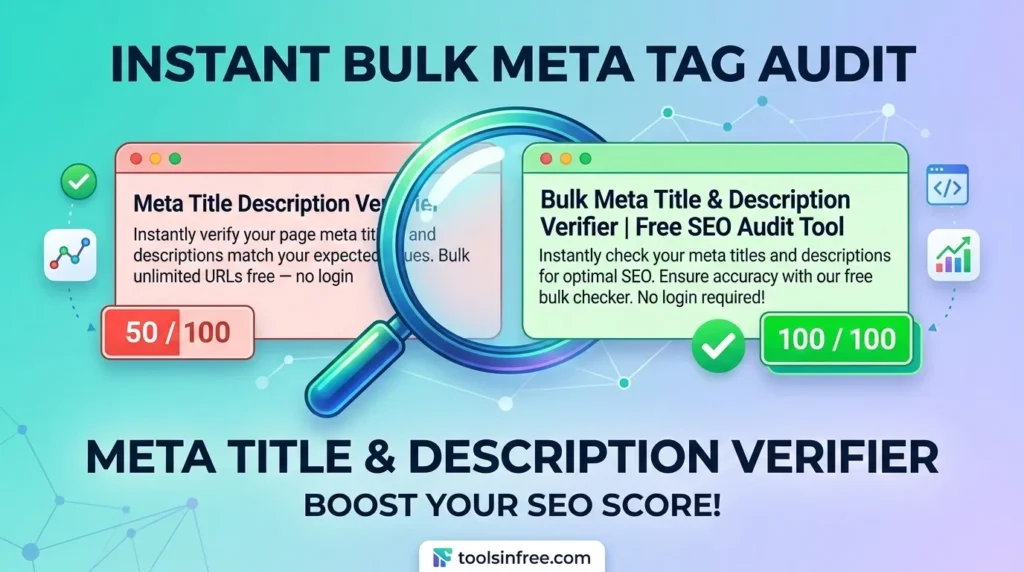
Looking for a free Meta Title Description Verifier? Bulk check unlimited URLs to ensure your snippets are accurate and SEO-friendly. Try the tool for free...
Use Tool
Turn AI Content into natural, human copy while preserving SEO keywords. Choose tone, creativity, and compare before/after.
Use Tool
Paste your website URL and get targeted backlink sources (ProductHunt, niche sites, communities, guest post targets) with reasons & impact score.
Use Tool
Convert sitemap.xml into a clean HTML sitemap. Supports sitemapindex recursion, grouping, status checks, and AI summary.
Use Tool
Schema Markup Checker & Explainer validate JSON-LD on a page, view structure, and ask the AI to explain or fix schema snippets.
Use Tool
Schema Markup Generator - Toolsinfree Generate JSON-LD (schema.org) markup for pages: Article, LocalBusiness, Product, FAQ, Event, Person.
Use Tool
Easily analyze the content of any website by simply entering its URL. Our AI-powered tool will summarize the page and allow you to chat with...
Use Tool
Our Free AI Content Detector. Get an originality score, detect ChatGPT and Gemini content, and ensure your work is 100% human-written.
Use ToolMake websites more accessible with free online accessibility tools. Check contrast, validate HTML, test screen reader compatibility, and improve usability—all…
2 Tools
View ToolsExplore a collection of free AI tools designed to simplify tasks and boost productivity. From text generation and image creation…
10 Tools
View ToolsSave time with free bulk tools for mass processing tasks. Convert multiple files, generate multiple items, or analyze large data…
3 Tools
View ToolsSimplify your calculations with our free online calculator tools. From basic arithmetic to financial, scientific, and unit calculators, get accurate…
1 Tool
View ToolsConvert files, units, and media effortlessly with our free online conversion tools. Change PDFs to Word, images to different formats,…
8 Tools
View ToolsCreate professional-quality designs easily with our free online design tools. Design logos, posters, banners, thumbnails, and social media graphics—all in…
7 Tools
View ToolsAccess a collection of free developer tools online to streamline coding, debugging, and web development. Format code, test APIs, validate…
8 Tools
View ToolsQuickly generate dummy data for testing and development with free online tools. Create random names, emails, text, or numbers—all browser-based…
1 Tool
View ToolsSimplify email management with free online email tools. Generate temporary emails, validate addresses, or format messages—all fast, secure, and browser-friendly.
3 Tools
View ToolsHave fun online with free entertainment tools. Generate random names, create memes, pick lottery numbers, or design avatars—fast, browser-based, and…
1 Tool
View ToolsEnhance your Free Fire gaming experience with our free online Free Fire tools. From stats trackers to in-game utilities, our…
2 Tools
View ToolsFormat text, code, or data quickly with free online formatting tools. Beautify code, clean text, or structure data—all fast, browser-based,…
1 Tool
View ToolsEdit, convert, and optimize images online with our free image tools. Resize, compress, crop, remove backgrounds, and convert images between…
5 Tools
View ToolsDiscover the best keywords for your website, blog, or online business with free keyword research tools. Analyze search volume, competition,…
1 Tool
View ToolsBoost your website authority with free off-page SEO tools. Check backlinks, monitor domain authority, and analyze link profiles—all online, secure,…
10 Tools
View ToolsBoost your productivity with our free office tools. Create notes, generate QR codes, check word counts, format text, and manage…
6 Tools
View ToolsProtect your data with free online security and privacy tools. Generate strong passwords, encrypt text, validate emails, and keep your…
1 Tool
View ToolsBoost your website’s visibility and rankings with our free SEO tools. Analyze keywords, check backlinks, audit pages, and optimize meta…
17 Tools
View ToolsManage, optimize, and grow your social media presence with free online tools. Schedule posts, generate content, analyze performance, and track…
4 Tools
View ToolsSimplify text editing and formatting with our free online text tools. Analyze, convert, clean, or transform text easily—all browser-based, fast,…
4 Tools
View ToolsDiscover a wide range of free online tools designed to make everyday tasks easier. From text and image utilities to…
21 Tools
View ToolsCreate, design, and optimize websites with free web designer tools. Generate mockups, test colors, resize images, and more—all fast, browser-based,…
15 Tools
View ToolsEnsure your website performs at its best with free web testing tools. Check speed, mobile-friendliness, accessibility, SEO, and more—all online,…
6 Tools
View ToolsAccess a collection of essential web tools online. Convert files, test websites, compress images, and perform other web tasks—all free,…
17 Tools
View ToolsEnhance your YouTube experience with free online tools. Download videos, analyze channels, create thumbnails, and manage content effortlessly. All browser-based,…
5 Tools
View ToolsCreate unique and creative names effortlessly with free online name generator tools. Generate names for businesses, games, social media, brands,…
5 Tools
View ToolsYou published the page. You submitted the sitemap. But Google still isn’t showing it in search results. Before you start rewriting content or chasing backlinks, the first thing you need to know is simple — is the page even indexed?
This free Non-Indexed Pages Checker pulls every URL from your website’s sitemap and checks each one against Google’s index using the site: operator. You get a clear, live result for every page: indexed or not indexed. No login. No Google Search Console access required. Just enter your domain and start.
Most site owners focus entirely on content quality and backlinks — and ignore the foundational issue that renders both useless. A page that isn’t indexed doesn’t exist in Google’s eyes. It won’t rank. It won’t drive traffic. It simply isn’t there.
This happens more often than you’d think. A WordPress site with 80 published posts might have 15–20 pages Google has never crawled or has deliberately excluded. The reasons vary, and finding them is the first step toward fixing them.
Common Mistake: Assuming that because you submitted a sitemap, Google indexed everything in it. Submission is a request, not a guarantee. Google crawls and indexes based on its own schedule and quality signals.
Understanding why a page isn’t indexed helps you fix it faster. These are the most frequent causes:
Noindex tag still active. A developer or plugin added <meta name="robots" content="noindex"> during staging and it never got removed. This is surprisingly common on WordPress sites after migrations or theme switches.
Crawl budget wasted on low-value URLs. If your site has hundreds of thin tag pages, filter pages, or duplicate content URLs, Google may deprioritize crawling your important pages entirely.
No internal links pointing to the page. Google discovers pages by following links. A page that sits in your sitemap but has zero internal links pointing to it may go unvisited for months.
Page blocked in robots.txt. A single incorrect line in your robots.txt file can block entire directories from being crawled.
Thin or duplicate content. Google may crawl a page and choose not to index it if the content is too similar to another page on your site or too short to provide value.
Pro Tip: After running this tool, sort your results by “Not Indexed” and look for patterns. If an entire category of pages is excluded, the cause is almost always structural — a noindex tag on the category template, a robots.txt block, or a crawl budget issue — not individual content problems.

This tool is designed to be fast and require nothing from you except a domain name.
https://yoursite.comsitemap.xml or sitemap_index.xml. It checks your robots.txt first for sitemap locations, then tries common fallback paths.The tool checks up to 100 URLs per session using the free API quota. For larger sites, prioritize your most important pages by checking category-specific sitemaps if your site generates them separately.
Finding the pages is step one. Here’s what to do next based on the most common causes.
If the page has a noindex tag: Remove it. In WordPress with Rank Math or Yoast, check the individual post’s SEO settings. Also check your theme’s functions.php and any caching or security plugins that might be injecting noindex headers.
If the page has thin content: Either significantly expand the content (aim for genuine depth, not word padding) or consolidate it with a stronger related page using a 301 redirect.
If there are no internal links to the page: Add contextual links from 2–3 related, already-indexed posts. This alone can get a page discovered and indexed within days.
If robots.txt is blocking it: Open yoursite.com/robots.txt in your browser and look for Disallow: rules that might accidentally cover important directories. Fix carefully — a wrong change can block Google from your entire site.
If the page was recently published: Give it 2–4 weeks before worrying. For new pages on newer domains, manually request indexing via Google Search Console’s URL Inspection tool to speed things up.
Quick Note: After making any fix, always go to Google Search Console → URL Inspection → Request Indexing for the specific page. Don’t just wait for the next crawl cycle.
This tool uses Google’s Custom Search API with the site: operator to verify indexation. This is the same method SEO professionals use for quick index checks and gives accurate results for the vast majority of pages.
There are two edge cases worth knowing. First, very recently indexed pages (within the last 24–48 hours) may not yet appear in Custom Search results even though Google has crawled them — this is a data freshness lag, not a real problem. Second, pages with strict canonicalization or hreflang configurations may return unexpected results depending on which version Google chose to index.
For an authoritative index audit at scale, Google Search Console’s Coverage report remains the most complete source. This tool is designed for fast, accessible checks on any domain — including sites you don’t own — without needing API access or account permissions.
SEO professionals auditing a new client site before starting work — knowing which pages are indexed sets the baseline for everything else.
WordPress site owners who’ve recently migrated hosting, switched themes, or installed a new SEO plugin and want to confirm nothing broke during the transition.
Content publishers who’ve noticed certain posts aren’t getting any impressions in Google Search Console and want to quickly confirm whether the indexing issue is the cause.
Developers who’ve taken a site off maintenance mode and need to verify that noindex tags from the staging environment aren’t still active on the live site.
Digital marketing agencies running initial site audits who need a fast, shareable export without logging into each client’s Google account.
No. This tool works on any publicly accessible website without requiring Search Console access, Google account login, or any ownership verification. You only need the domain URL.
The tool processes up to 100 URLs per session using the free Google Custom Search API quota. If your sitemap contains more than 100 URLs, the tool checks the first 100 found. For larger sites, consider running checks against individual sub-sitemaps (e.g., your post sitemap or page sitemap separately).
If no sitemap is detected, the tool will return an error message listing the locations it tried. In this case, generate a sitemap first — Rank Math and Yoast both do this automatically. A sitemap is also a fundamental SEO requirement, so creating one solves two problems at once.
This can happen due to a short data freshness lag in the Custom Search API (up to 24–48 hours for very recently indexed pages). It can also happen if Google indexed a different canonical version of the URL — for example, the HTTP version instead of HTTPS, or the www version instead of non-www. Check your canonical tags and URL structure if this happens consistently.
Yes, completely free. No account, no signup, no usage limits on your end. The underlying Google API has a quota of 100 free queries per day on our server, which resets daily.
Yes. Because the tool only reads publicly available sitemap data and performs standard Google searches, it works on any publicly accessible domain — yours or anyone else’s.
If you’re auditing your site’s technical SEO health, these tools pair well with the Non-Indexed Pages Checker:
All tools on ToolsInFree are completely free, require no login, and work instantly in your browser.
