Create, design, and optimize websites with free web designer tools. Generate mockups, test colors, resize images, and more—all fast, browser-based, and beginner-friendly.

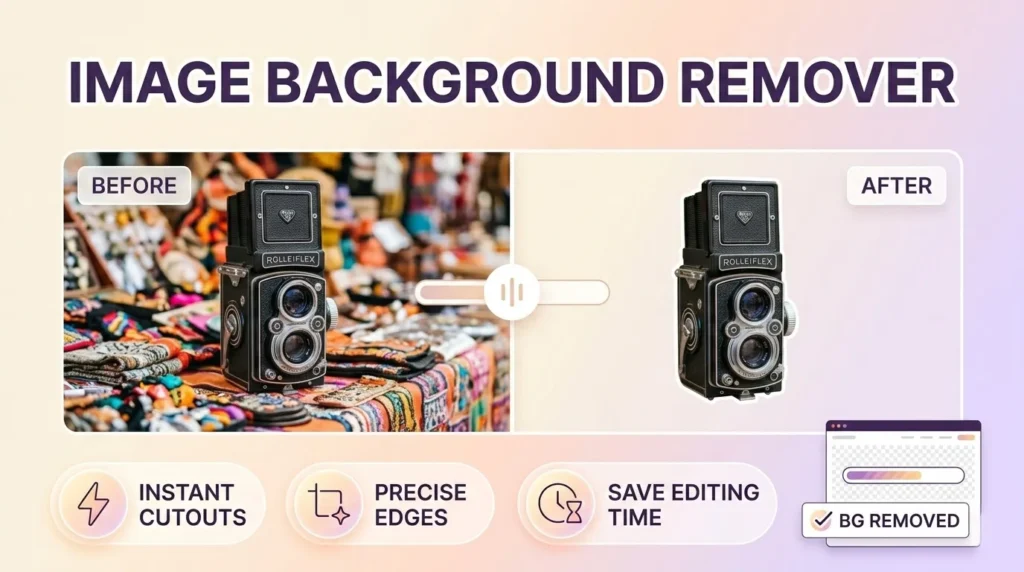
Use our Photo Background Remover to automatically delete image backgrounds in one click. Get clean, professional cutouts.
Use Tool
Boost your website's performance by minimizing your HTML code. Our easy-to-use tool removes comments, whitespace, and unnecessary characters, delivering optimized, fast-loading HTML without compromising functionality.
Use Tool
Quickly clean your text by removing unnecessary line breaks, multiple spaces, or tabs.
Use Tool
Optimize your stylesheets effortlessly! Our CSS Compressor tool removes unnecessary characters, spacing, and comments from your CSS file, resulting in smaller file sizes and dramatically...
Use Tool
Create favicon.ico, PNG icons, Apple touch icon and manifest — all in-browser.
Use Tool
Free JavaScript minifier tool to compress, optimize & reduce JS file size online. Remove comments, whitespace & unused code for faster loading.
Use Tool
Upload an image and click anywhere to extract the color codes (HEX / RGB).
Use Tool
Minify HTML, CSS & JavaScript files instantly with our free All-in-One Code Compressor. Boost website speed, improve SEO rankings, and enhance user experience—no sign-up required....
Use Tool
Check your foreground and background color combinations against WCAG 2.1 standards with our free online accessible color contrast checker. Ensure AA and AAA compliance easily.
Use ToolMake websites more accessible with free online accessibility tools. Check contrast, validate HTML, test screen reader compatibility, and improve usability—all…
2 Tools
View ToolsExplore a collection of free AI tools designed to simplify tasks and boost productivity. From text generation and image creation…
10 Tools
View ToolsSave time with free bulk tools for mass processing tasks. Convert multiple files, generate multiple items, or analyze large data…
3 Tools
View ToolsSimplify your calculations with our free online calculator tools. From basic arithmetic to financial, scientific, and unit calculators, get accurate…
1 Tool
View ToolsConvert files, units, and media effortlessly with our free online conversion tools. Change PDFs to Word, images to different formats,…
8 Tools
View ToolsCreate professional-quality designs easily with our free online design tools. Design logos, posters, banners, thumbnails, and social media graphics—all in…
7 Tools
View ToolsAccess a collection of free developer tools online to streamline coding, debugging, and web development. Format code, test APIs, validate…
8 Tools
View ToolsQuickly generate dummy data for testing and development with free online tools. Create random names, emails, text, or numbers—all browser-based…
1 Tool
View ToolsSimplify email management with free online email tools. Generate temporary emails, validate addresses, or format messages—all fast, secure, and browser-friendly.
3 Tools
View ToolsHave fun online with free entertainment tools. Generate random names, create memes, pick lottery numbers, or design avatars—fast, browser-based, and…
1 Tool
View ToolsEnhance your Free Fire gaming experience with our free online Free Fire tools. From stats trackers to in-game utilities, our…
2 Tools
View ToolsFormat text, code, or data quickly with free online formatting tools. Beautify code, clean text, or structure data—all fast, browser-based,…
1 Tool
View ToolsEdit, convert, and optimize images online with our free image tools. Resize, compress, crop, remove backgrounds, and convert images between…
5 Tools
View ToolsDiscover the best keywords for your website, blog, or online business with free keyword research tools. Analyze search volume, competition,…
1 Tool
View ToolsBoost your website authority with free off-page SEO tools. Check backlinks, monitor domain authority, and analyze link profiles—all online, secure,…
10 Tools
View ToolsImprove your website’s search engine performance with free on-page SEO tools. Analyze content, meta tags, headings, and keywords directly in…
16 Tools
View ToolsBoost your productivity with our free office tools. Create notes, generate QR codes, check word counts, format text, and manage…
6 Tools
View ToolsProtect your data with free online security and privacy tools. Generate strong passwords, encrypt text, validate emails, and keep your…
1 Tool
View ToolsBoost your website’s visibility and rankings with our free SEO tools. Analyze keywords, check backlinks, audit pages, and optimize meta…
17 Tools
View ToolsManage, optimize, and grow your social media presence with free online tools. Schedule posts, generate content, analyze performance, and track…
4 Tools
View ToolsSimplify text editing and formatting with our free online text tools. Analyze, convert, clean, or transform text easily—all browser-based, fast,…
4 Tools
View ToolsDiscover a wide range of free online tools designed to make everyday tasks easier. From text and image utilities to…
21 Tools
View ToolsEnsure your website performs at its best with free web testing tools. Check speed, mobile-friendliness, accessibility, SEO, and more—all online,…
6 Tools
View ToolsAccess a collection of essential web tools online. Convert files, test websites, compress images, and perform other web tasks—all free,…
17 Tools
View ToolsEnhance your YouTube experience with free online tools. Download videos, analyze channels, create thumbnails, and manage content effortlessly. All browser-based,…
5 Tools
View ToolsCreate unique and creative names effortlessly with free online name generator tools. Generate names for businesses, games, social media, brands,…
5 Tools
View ToolsBoost Your Website Speed, Improve SEO & Enhance User Experience—Free, Instant, No Sign-Up Required
The All-in-One Code Compressor is a powerful, free online tool designed to minify HTML, CSS, and JavaScript files simultaneously. Minification is the process of removing unnecessary characters from your code—like whitespace, comments, and line breaks—without affecting its functionality. This reduces file sizes, speeds up page load times, improves Core Web Vitals, and enhances both user experience and search engine rankings.
If you’re a web developer, designer, site owner, or SEO specialist, you know that fast-loading websites rank higher and keep visitors engaged. Slow websites lead to higher bounce rates, lower conversions, and poor SEO performance. Our tool solves this by making code optimization effortless—no complex software, no manual editing, and no technical expertise required.
Website performance is non-negotiable in today’s digital landscape.
Google’s Core Web Vitals prioritize loading speed, interactivity, and visual stability. Minified code is a direct contributor to better scores in metrics like Largest Contentful Paint (LCP) and First Input Delay (FID).
Here’s why our Minify HTML CSS JS In Once is essential for your workflow:
Faster Load Times – Smaller files = quicker downloads.
Improved SEO Rankings – Google favors fast, optimized sites.
Reduced Bandwidth Usage – Save on hosting and data costs.
Better User Experience – Visitors stay longer and engage more.
Cross-Browser Compatibility – Minified code runs smoothly everywhere.
Cleaner Codebase – Remove clutter without breaking functionality.
Using our tool is simple, instant, and free. No registration, no watermarks, no hidden limits.
Navigate to the Tool – Go to the All-in-One Code Compressor page on ToolsInFree.
Paste or Upload Your Code – You can paste raw HTML, CSS, and JS into separate fields, or upload .html, .css, or .js files directly.
Choose Compression Options (Optional) – Select whether to remove comments, preserve certain lines, or strip unnecessary tags.
Click “Compress Now” – The tool processes all three code types in one pass.
Copy or Download Results – Instantly receive minified code, ready to deploy.
Test Your Site Speed – Use tools like Google PageSpeed Insights to verify improvements.
Always keep a backup of your original code.
Validate the minified output in a staging environment before going live.
Combine minification with other optimizations (e.g., image compression, caching).

Our tool isn’t just another basic minifier—it’s built for performance, accuracy, and ease of use.
Minify HTML, CSS, and JavaScript separately or together in one operation. No need to switch between tools.
Get results in milliseconds. Our optimized algorithms ensure no lag, even with large files.
The compressor preserves syntax integrity, so your code works exactly as before—just smaller.
We follow best practices for web accessibility and coding standards. Minified code remains compatible with assistive technologies and modern browsers.
Upload multiple files at once for bulk processing—a huge time-saver for developers.
We don’t store, share, or log your code. Everything is processed securely in your browser.
Unlimited usage, no trial limits, no hidden fees. Built for the community.
Search engines like Google use site speed as a ranking factor. Minifying your code directly impacts:
Core Web Vitals Scores – Better LCP, FID, and CLS.
Crawl Efficiency – Smaller files help bots index your site faster.
Mobile-First Indexing – Optimized code improves mobile performance.
Reduced Bounce Rates – Faster sites keep users engaged longer.
By using our All-in-One Code Compressor, you’re not just cleaning code—you’re boosting visibility, traffic, and conversions.
Minification is the process of removing unnecessary characters (spaces, comments, line breaks) from source code to reduce file size without changing its functionality.
Minified files load faster, reduce server requests, improve SEO, and provide a smoother user experience—especially on mobile and slow connections.
Yes, minified code is not meant for human editing. Always keep an original, unminified version for development. Use our tool to generate production-ready minified files.
No—if done correctly. Our tool ensures syntax integrity. However, we recommend testing the minified version in a staging environment first.
Yes. Caching and CDNs help, but minification reduces the actual file size, making everything—including cached versions—more efficient.
Absolutely. No trial limits, no registration, no hidden costs. We believe in free, accessible tools for everyone.
Currently, we support standard CSS and JavaScript. For preprocessors, compile to CSS/JS first, then minify with our tool.
Yes. There are no restrictions on personal, commercial, or enterprise use.
The All-in-One Code Compressor is more than a utility—it’s a performance partner. Whether you’re building a personal blog, an e-commerce site, or a complex web app, faster code means happier users and better Google rankings.
Try it now—free, instant, and no sign-up required.
Pro Tip: Combine this tool with our other free utilities for maximum impact:
Built for SEO – Optimized content, schema-ready, EEAT-aligned.
Human-First Content – Clear, actionable, and user-focused.
Technical Excellence – Reliable algorithms, secure processing, standards-compliant.
Always Free – No limits, no paywalls, no registrations.
Optimize your code. Boost your speed. Rank higher.
Experience the difference with ToolsInFree’s All-in-One Code Compressor today.
